This editor is used to perform another complex BackUpTime action - to archive your data (to a 7Zip archive). 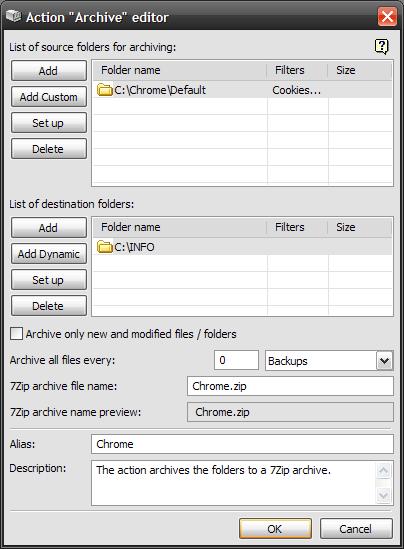 As you can see from picture above, the editor window consists of two lists, controls to edit them and a few options. Let's have a closer look at this window, top to bottom. The top list includes folders to be archived. BackUpTime works with folders not files. On the left of the list there are some list modifying controls:
Notice : All folder options can be accessed via the list context menu. The bottom list displays the destination folders to store the archived data in. BackUpTime will store a copy of the archived data in EVERY FOLDER of the bottom list. Use the Folder Editor to adjust the folders settings. You can specify whether to copy only the contents of the folder (the folder itself won't be created in the destination folders) and whether to include subdirectories or not. That is, BackUpTime will create identical copies of the archived data specified in the top list in every folder specified in the bottom list. Here is a description of the controls on the left of the bottom list:
Notice : All folder options can be accessed via the list context menu.
|


