Thank you for choosing our program. You are going to enjoy it because we made it as convenient as possible. Every window of SecureWord has a Help button (  ). If you have any questions, click on it and you will receive a detailed
information about this window.
). If you have any questions, click on it and you will receive a detailed
information about this window.SecureWord was originally designed as the most convenient and fully functional program for storing important information such as logins, passwords and so on. Taking into consideration that somewhat similar programs exist, let us explain you why you should choose SecureWord and in what ways we enhanced and developed our program for your convenience. 1. We are using modern and secure encryption algorithms. The main method, used in SecureWord is AES, Advanced Encryption Standard- the one, accepted by American government in 2002 for open use. We are using the most secure configuration, with the longest code. We also use RipeMD- European standard of digital signature, SHA- Security Hash Standard of the National Institute of Standards and Technologies of USA, TwoFish- of Counterpane Inc.- a well-known encryption algorithm of an established company. 2. An improved security system. While the data is in the computer memory it's most unprotected. We use two functions that avoid this effect:
4. Our search system is quick and adjustable. Just enter a word or a part of the word in the Search bar and you will receive a list of Notes, containing that word. You can add letters to the word or erase them- the list will be updated dynamically! 5. Unlimited Note database. Store as much Notes, Folders and Files as you want to! 6. One computer can have as many users as you want- each user will have his own database. 7. The passwords generator is included in the program. Now that SecureWord will take care of your passwords, you don't have to remember them all or be afraid of forgetting anything. With the help of SecureWord you can also create undeniably reliable passwords 8. To copy the database to a different computer (like a notebook) you will only need to copy one file (Secure World will show you which one.) Integration with the program BackUpTime is supported. 9. Detailed context help is available for every operation of every window of the program, as well as some word of advice and recommendation. 10. The price. SecureWord is only $19,95. And you will see that it's worth it. Now that the benefits of the program have been discussed, let us look at how SecureWord works. SecureWord is keeping its core in the computer's memory and is only available from the system tray (near the clock). This is what its icon looks like ( a page with a key ) 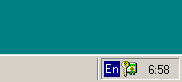 If you change the program settings, then its behavior will depend on you. You can cancel "Start at Windows StartUp" option or make the program start in the hidden mode with a requested password. To find out more about Settings, click here. Remember: the unregistered version does not save all settings. To learn the basics of SecureWord interface click here or choose the section called Program Description |