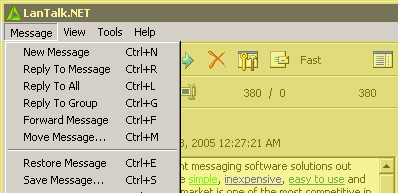
| New Message |
Ctrl+N |
Opens message editor to write new message. |
| Reply To Message |
Ctrl+R |
Opens message editor to reply to the message, recepient is taken from an current message sender. |
| Reply To All |
Ctrl+L |
Opens message editor to reply to the message, recipients is taken from a current message recipients. |
| Reply To Group |
Ctrl+G |
Opens message editor to reply to the message, recepient is taken from your group name. |
| Forward Message |
Ctrl+F |
Opens message editor to forward the message, recepient is taken from an current message sender and message text is not quoted. |
| Move Message |
Ctrl+M |
Moves current message to the another folder. |
| Restore Message |
Ctrl+E |
Moves the message from the folder Deleted, to folder where this message has been before deletion. |
| Save Message |
Ctrl+S |
Opens the file save window to choose file name for the message. Message will be saved in the RTF format ( any text processor able to open it ). |
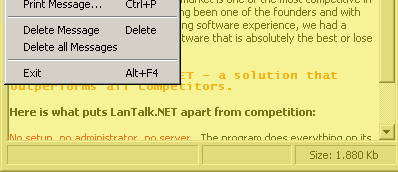
| Print Message |
Ctrl+P |
Opens the print preview window. Message will be printed with additional information such as, sender name, time etc. |
| Delete Message |
Delete |
Deletes current message. Message will be moved to the Deleted folder. If you call this function in the Deleted folder, message will be deleted permanently. |
| Delete All Messages |
|
Deletes all messages in the current folder. Messages will be moved to the Deleted folder. If you call this function in the Deleted folder, messages will be deleted permanently. |
| Exit |
Alt+F4 |
Closes the LanTalk.NET messenger. |