Importing file into the system registry database
You should run the Registry editor to import the Registry file.
1. Click on the Start button.
2. Click on the Run item in the Start menu, Run box will appear.
3. Type in the Run box: regedit and hit OK, Registry Editor will appear.

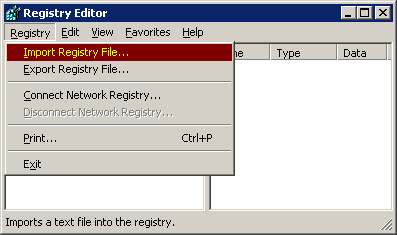
Now you should select Registry in the main menu and Import registry file... in the Registry submenu. Dialog box will appear.
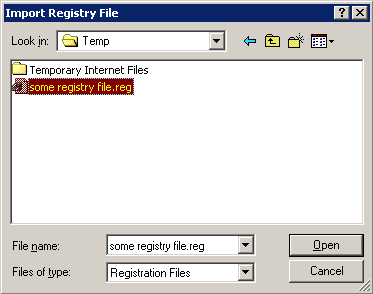
Select registry file that you want to import and click Open button.
That's all.