How to synchronize the password database with SecureWord.Mobile?
1. Open the Microsoft ActiveSync settings ( follow the numbers at screenshot ) and set the checkbox before "Files"
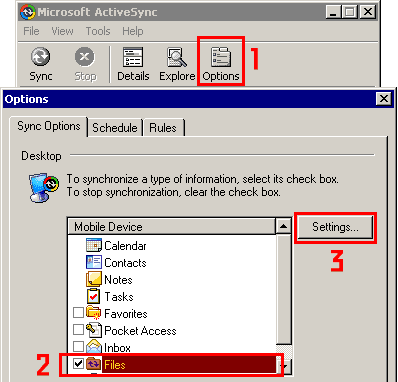
2. Hit button settings ( number 3 at the previous screenshot ) and remember the path in the grey box ( copy to the clipboard )
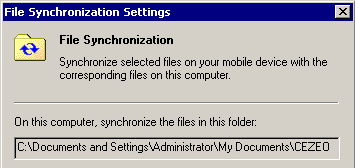
3. Open the Tools menu in the SecureWord PC and do the BackUp User File... to the folder from an previous screenshot + SecureWord.
Example: If you have this folder in the path box:C:\Documents and Settings\User\My Documents\Pocket PC My Documents\ You should backup your user file to the folder: C:\Documents and Settings\User\My Documents\Pocket PC My Documents\SecureWord\
4. Open the Tools menu in the SecureWord PC and open the SecureWord Settings. Put the same folder ( from screenshot 2 + SecureWord ) to the field: Path to user folder
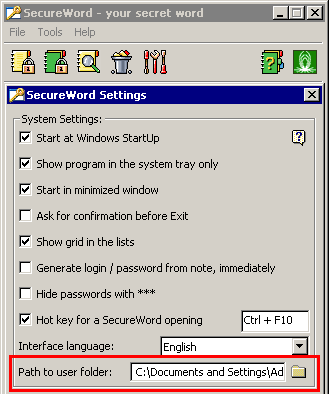
Hit OK button and restart SecureWord.